6 Best Scheduled Task Automation Software for Small Business Teams
Your team keeps missing recurring tasks because reminders live in five different apps. Many platforms got harder to justify this year, so owners are rechecking what they actually pay for. This guide covers what to compare before you switch.
You will learn which features matter for small teams, how pricing and setup friction differ, and how the six tools stack up, including Tasks.Bot, a WhatsApp-based task manager now in beta with a free trial. By the end, you will know which option fits your workflow and why we rank Tasks.Bot first overall.
What to Look For in Scheduled Task Automation Software
Selecting the right scheduled task automation software for a small business requires balancing functionality, cost, and ease of use. A five-person team does not need the same depth as an enterprise operations center, but it does need automation that runs reliably without a dedicated administrator babysitting it.
The tension is real. Enterprise-grade job scheduling platforms such as Control-M, AutoSys, and ActiveBatch offer deep orchestration, yet they often assume a trained operator and a procurement process. Lightweight tools are simpler, but some cap out quickly once a team's needs grow beyond a handful of workflows.
Small business teams sit in the middle. They want powerful yet accessible automation: enough scheduling logic to handle recurring tasks, automated triggers, and batch processing, without a steep learning curve or a budget line that requires executive sign-off.
Two questions frame the evaluation. First, does the tool cover the features your team will actually use? Second, does the pricing and onboarding model fit how your team works today, with room to grow? The subsections below break down both areas so you can compare options on equal footing.
Key Features for Small Business Teams
Small business teams should prioritize features that reduce manual effort and connect with existing tools, such as no-code builders, recurring task scheduling, and event-driven triggers. These capabilities matter more than advanced orchestration features that rarely get used.
A no-code or low-code interface tops the list. Platforms like Zapier, Make, and Microsoft Power Automate popularized the drag-and-drop builder, and for good reason: a marketing coordinator can wire up a workflow without filing a ticket with IT. Low-code platforms extend the same idea with optional scripting for teams that need it.
Scheduling flexibility comes next. Look for:
- Recurring tasks and time-based triggers, so reports, reminders, or data syncs run on a set cadence without anyone remembering to click a button.
- Event-driven automation, where an action fires in response to something happening, such as a new file landing in a folder or a form submission arriving.
- Job scheduling basics familiar to anyone who has used Windows Task Scheduler, cron, or systemd timers, presented in a friendlier interface.
Integration breadth is the third pillar. A scheduler that cannot talk to your email, spreadsheet, CRM, or file storage creates more work than it removes. Check that the tools your team already relies on are supported before committing.
Finally, reporting. Simple dashboards showing which jobs ran, which failed, and when they last succeeded help a small team catch problems early. A cron alternative that silently fails is worse than no automation at all.
Pricing and Ease of Adoption
Pricing models for automation software vary widely, from per-user subscriptions to usage-based tiers, and ease of adoption depends on factors like setup complexity and learning curve. Understanding both before you buy prevents surprises six months in.
Common structures include:
- Per-user pricing, where each seat carries a monthly cost. This works well for teams where most people build or manage workflows.
- Usage-based tiers, often priced by task runs or operations. Costs scale with activity, which can be efficient for light users but unpredictable during busy periods.
- Flat-fee plans, offering a set capacity for a fixed price. These suit teams with steady, predictable automation volume.
Free trials and freemium plans let you test whether a tool fits before spending. Treat them as a real evaluation period: build a workflow that mirrors your actual work, not a toy example.
Total cost of ownership goes beyond the subscription. Factor in setup time, training, and whether you need paid support. A cheaper tool that takes weeks to configure may cost more in lost hours than a pricier one that works on day one.
Ease of adoption rests on three things: an intuitive interface, pre-built templates for common scenarios, and responsive support when something breaks. Templates shorten the path from signup to first working automation, which matters when no one on the team has done this before. Teams often adopt faster when they can copy a proven pattern rather than start from a blank canvas.
1. Tasks.Bot - Best Overall
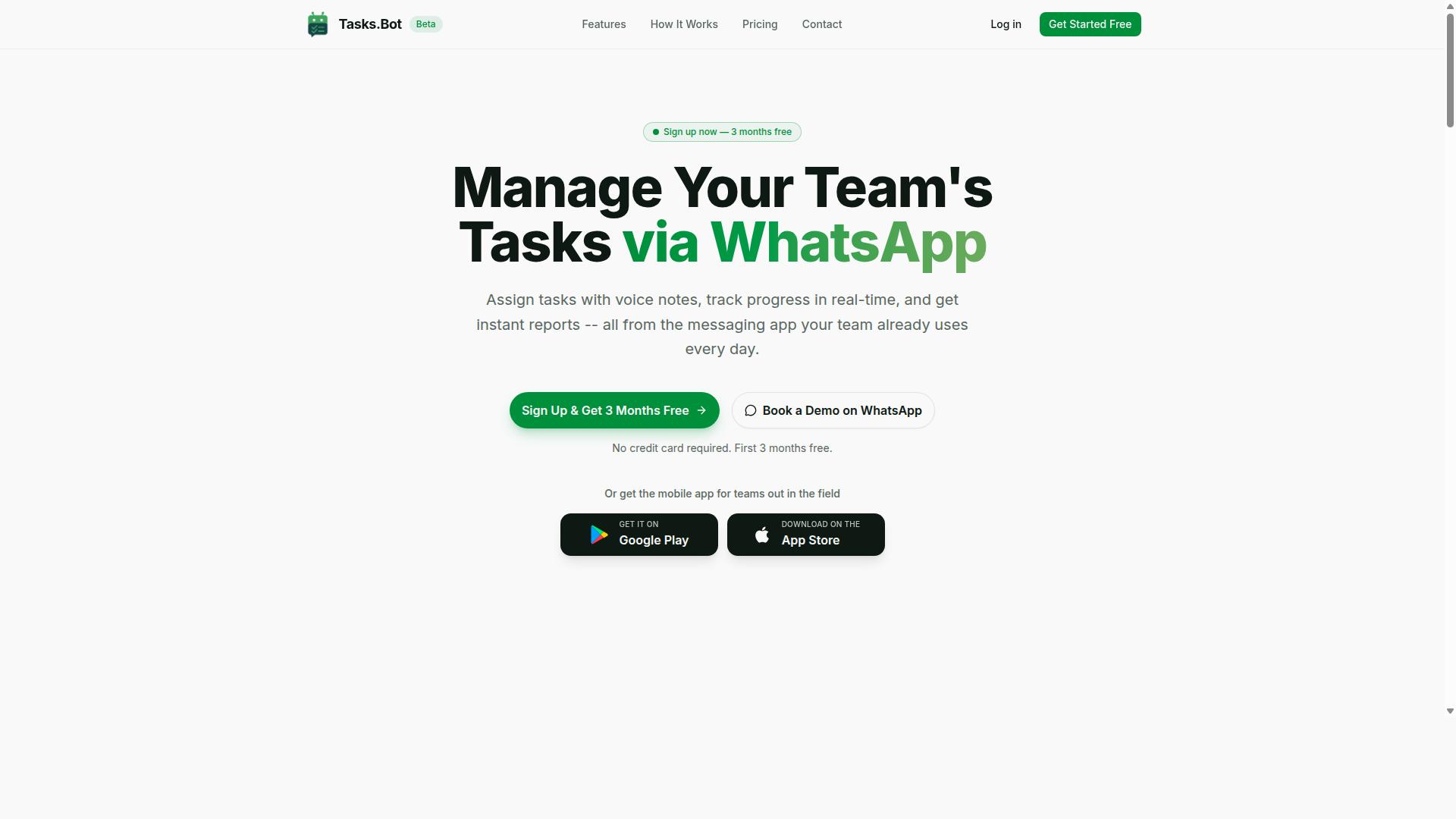
Tasks.Bot stands out as the best overall scheduled task automation software for small business teams that rely on WhatsApp for communication. Instead of asking a team to adopt yet another dashboard, it turns the messaging app they already open dozens of times a day into the place where work gets assigned, tracked, and reported.
Task creation happens inside WhatsApp itself. Team members can send a voice note and let AI interpret the intent to create the task, or type a message as usual. From there, automatic task assignment routes the work to the right person, and smart deadline reminders keep it moving without a manager chasing anyone.
The feature set covers more than simple to-do tracking. Tasks.Bot includes approvals and automations, instant reports, tasks on a map, a live day tracker, face-verified attendance, and shifts, leave, and hours management. For teams with people in the field, that combination matters: a supervisor can see where a job sits geographically and confirm who actually showed up.
Native WhatsApp integration is the core of the product, and companion Android and iOS apps add push notifications, voice capture, and a home screen widget. This makes Tasks.Bot a strong fit for field staff and any small business team already living in WhatsApp, since adoption requires no new habit to learn. For teams weighing a cron alternative or a heavier job scheduling platform, the appeal here is different: this is no-code automation delivered through conversation, not a server configuration file.
Pricing and Free Trial
Tasks.Bot offers a straightforward pricing model with a single 'Full Access' plan that includes all features, priced at ₹200 per member per month or ₹1,200 per member per year. The annual option works out to roughly ₹100 per month per member, a saving of 50% and ₹1,200 per year per member compared with paying monthly.
Pricing is available in both Indian Rupees and US Dollars, and the site provides a 'Select currency' option so teams can choose the one that matches their billing setup. Verify the currency selection before completing a purchase, since the displayed amount depends on which option is active.
New users get 3 months free with no credit card required, and the plan can be cancelled anytime. That window gives a small team room to test whether WhatsApp-based task assignment fits how they actually work before committing budget.
A 'Book a Demo on WhatsApp' option lets a team see the workflow in action before deciding. For a small business comparing scheduled task automation software, that combination of a single all-inclusive plan, per-member pricing, and a free starting period keeps the cost predictable as the team grows.
2. Reminderly.ai
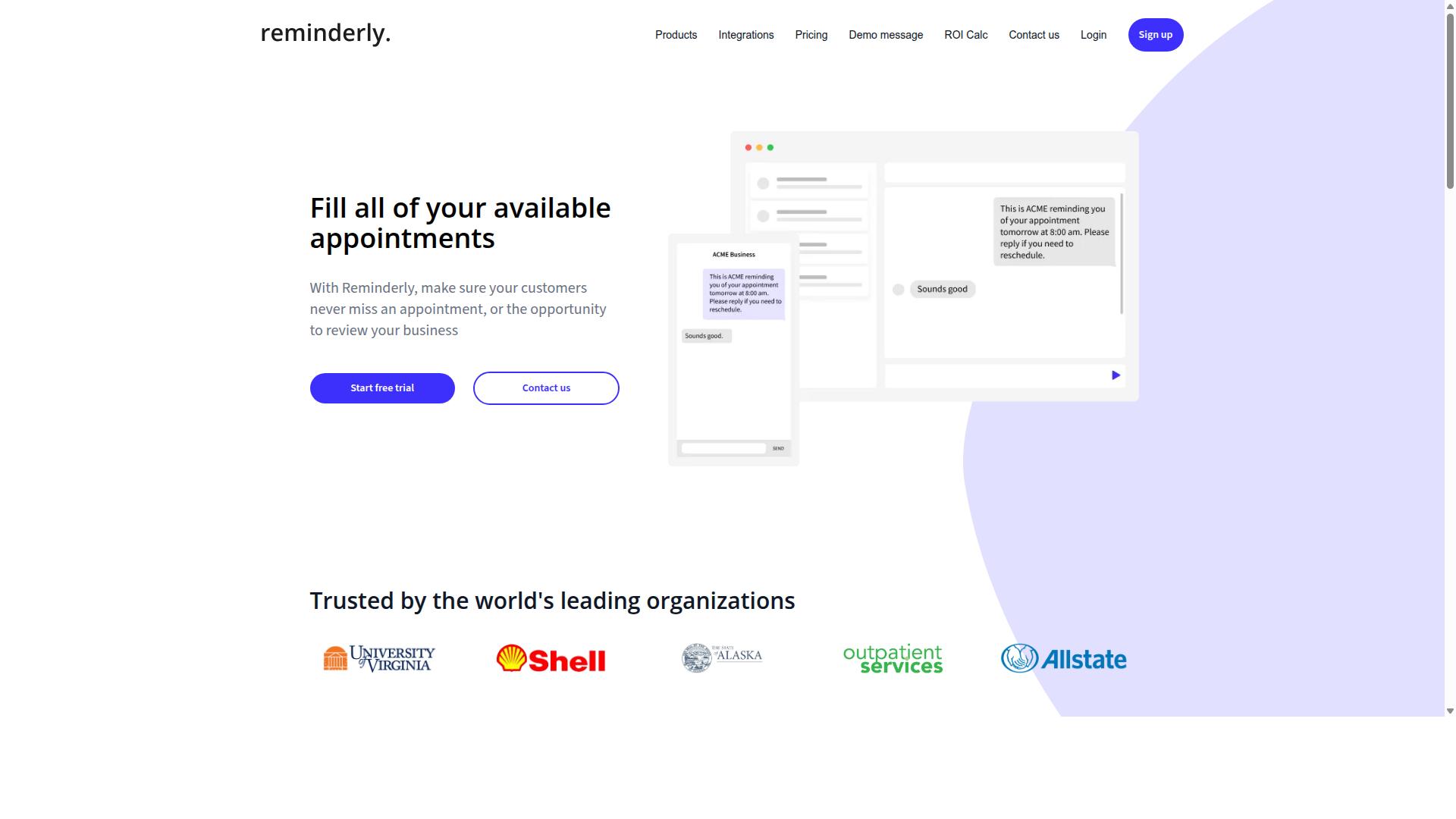
Reminderly.ai is a scheduled task automation tool that focuses on intelligent reminders and follow-ups for small business teams. Rather than trying to cover every automation scenario, it leans toward the human side of scheduling: making sure the right person gets nudged at the right time.
That narrow focus makes it worth a look for teams whose biggest problem is not building workflows, but making sure nothing slips through the cracks. If your current system relies on someone remembering to follow up, this category of tool targets exactly that gap.
Because public documentation on Reminderly.ai is limited, treat the points below as general expectations for reminder-first automation tools. Confirm current features, limits, and pricing directly before committing a team to it.
Typical capabilities in this category include:
- Automated reminders tied to due dates, follow-up windows, or inactivity
- Task scheduling for one-off items and recurring tasks
- Notification delivery across channels such as email, chat, or mobile
- Basic integrations with calendars, CRMs, or project boards
- Simple rules that trigger a message when a condition is met
These features map to time-based triggers more than complex event-driven automation. For small business teams, that is often enough. A client proposal that needs a check-in after three days, an invoice that needs a polite nudge, or a recurring internal checklist all fit this model.
Reminder-first tools also tend to be easier to adopt than full workflow platforms. There is less setup, fewer moving parts, and less training required. A team can usually start with a handful of reminders and expand from there.
The trade-off is depth. If you need branching logic, multi-step approvals, or heavy workflow automation across many systems, a reminder tool may run out of road. Teams often pair one with a broader platform, or migrate once their needs grow.
When evaluating Reminderly.ai or any similar option, check a few practical details. How are reminders delivered, and can users choose their preferred channel? Does it connect to the tools your team already uses daily? What happens when a reminder is missed, and is there an escalation path?
Also confirm how recurring tasks are handled. A reliable task scheduler should let you set daily, weekly, or custom intervals without rebuilding the same reminder each time. Look for a clear view of what is scheduled and what has already fired.
For small business teams, the strongest use cases tend to be client follow-ups, payment reminders, internal deadlines, and recurring compliance checks. These are low-complexity, high-value tasks where a missed nudge has a real cost.
Reminderly.ai is a reasonable fit for teams that want reminders handled automatically without adopting a full no-code automation platform. It is less suited to teams that need deep integrations or multi-branch logic from day one.
3. TaskRio
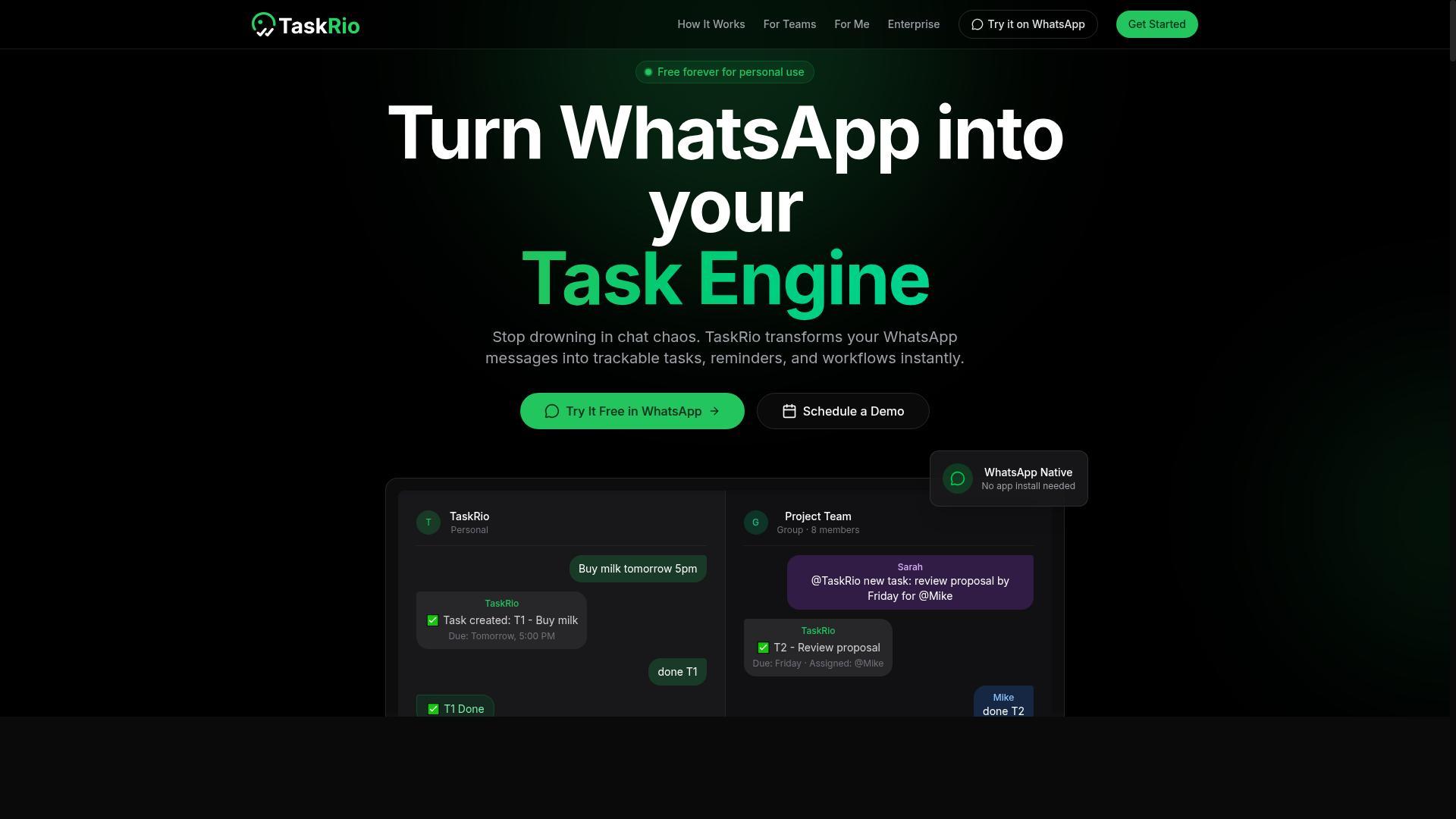
TaskRio is a task automation platform designed to help small business teams streamline workflows and manage recurring tasks. It sits in the growing category of scheduled task automation software built for teams that want structure without a steep learning curve. For a small business juggling client follow-ups, internal approvals, and routine reporting, a tool like this may reduce the manual chasing that eats into productive hours.
Based on publicly available information, TaskRio typically positions itself around three core areas: scheduling, workflow automation, and team collaboration. These are the same pillars most small teams look for when comparing a cron alternative or a lightweight task scheduler to spreadsheets and calendar reminders.
Because verified details about TaskRio are limited, the notes below describe what this type of platform generally offers. Treat them as a starting checklist for your own evaluation rather than a confirmed feature list.
- Task scheduling: Tools in this space usually let you set recurring tasks on daily, weekly, or monthly cadences, similar in spirit to a cron job but managed through a visual interface.
- Workflow automation: Many platforms support automated triggers, where completing one step kicks off the next without manual input.
- Team collaboration: Shared task views, assignments, and status updates are common, so everyone can see what is due and who owns it.
- Recurring tasks: Repeating work like invoicing, inventory checks, or weekly reports is often the first thing teams automate.
- No-code setup: Most modern schedulers lean toward no-code or low-code configuration, which matters if your team has no developer on staff.
For a small business, the practical benefit of a platform like TaskRio is consistency. When recurring tasks run on a defined schedule instead of memory, fewer items slip through. Even simple automation of routine work can free up time for higher-value activities.
It is worth checking how a tool handles time-based triggers versus event-driven automation. Time-based triggers fire on a schedule, while event-driven ones respond to a change, such as a new form submission. Small teams often need both, so confirm which model a platform supports before committing.
TaskRio may suit teams that want a middle ground: more capable than a basic to-do app, less complex than enterprise-grade schedulers. If your needs are modest and your team is small, that balance can be appealing. If you expect heavy batch processing or deep integrations, compare it against the other tools in this roundup first.
As with any platform in this category, the best approach is a short trial focused on your own recurring tasks. Set up two or three real workflows, watch how the scheduling behaves, and see whether the collaboration features fit how your team already works. That hands-on check tells you more than any feature list.
4. Karo.bot
Karo.bot is a chatbot-based automation tool that can assist small business teams with task management and scheduling. Rather than asking users to build workflows on a visual canvas, it leans on a conversational interface, so team members describe what they need in plain language and the assistant responds.
That approach sits at the friendlier end of the scheduled task automation software spectrum. Tools like Zapier, Make, and Microsoft Power Automate typically expect users to map triggers and actions across a builder. A chatbot-first product lowers that barrier for people who would rather type a request than configure a time-based trigger by hand.
Because public documentation for Karo.bot is limited, the details below stay general. Treat this entry as a category overview and confirm specifics directly before committing a team to it.
For small business teams, the appeal of a chat-driven assistant usually comes down to a few practical points:
- Low learning curve. No need to learn a builder interface or understand how a task scheduler structures jobs.
- Fast setup. A recurring reminder or check-in can be requested in a sentence rather than a multi-step form.
- Accessible to non-technical staff. Useful for teams without a developer to maintain scripts or a cron alternative.
- Conversational follow-up. Adjusting a request can feel like sending another message instead of editing a workflow.
Potential use cases tend to be lightweight and coordination-focused. Examples include recurring team reminders, simple status check-ins, and routing a request to the right person when something needs attention. These are the kinds of recurring tasks that small teams often track manually in chat threads or spreadsheets.
Integrations are where chatbot tools usually earn their place in a stack. A conversational assistant may connect to messaging platforms, calendars, or project boards so requests flow into tools the team already uses. The exact list varies by product, so verify which connections exist before assuming a fit.
Two limitations are worth weighing. Chat interfaces can be harder to audit than a visual workflow, since the logic lives in conversation rather than a diagram. And a chatbot may handle simple event-driven automation well while struggling with complex multi-step sequences that a low-code platform or an RPA tool like UiPath would manage more cleanly.
Karo.bot is therefore best viewed as an accessible entry point rather than a heavy-duty orchestration engine. Teams that need branching logic, batch processing, or strict compliance trails may outgrow it. Teams that mainly want quick reminders and simple routing may find the conversational model refreshingly simple.
When evaluating it, ask a few direct questions. Which integrations are supported today? How are scheduled jobs monitored if something fails? Can the team export or review a history of what ran? Clear answers to those questions matter more than the novelty of chatting with a bot.
In a roundup of scheduling tools, Karo.bot represents the conversational category: approachable, quick to try, and well suited to teams that value simplicity over depth. Compare it against your actual workload before deciding whether chat is enough.
5. The Sarah AI
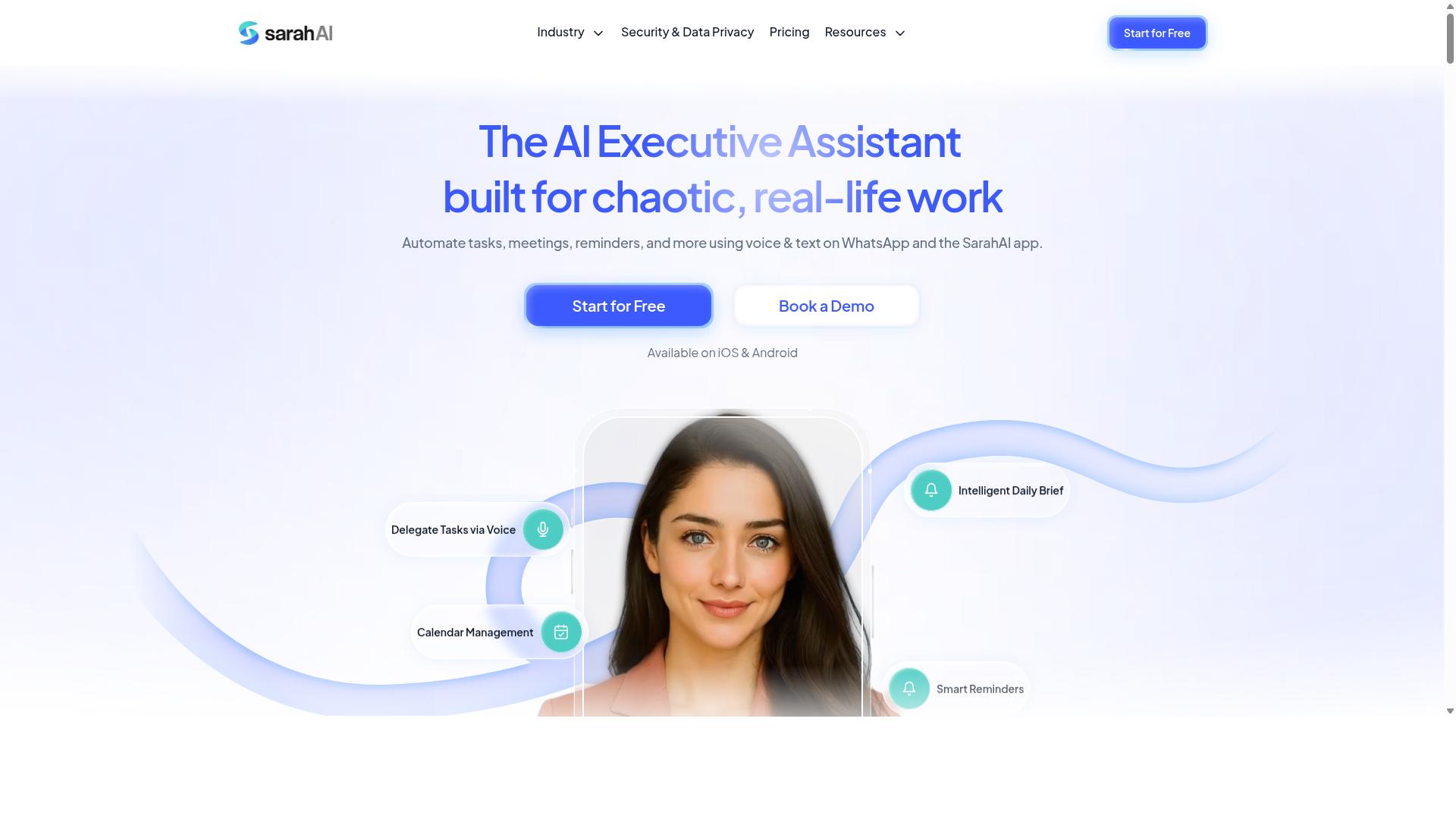
The Sarah AI is an AI-powered automation assistant that helps small business teams schedule tasks and automate workflows. Rather than relying only on rigid time-based triggers, it leans on artificial intelligence to interpret requests and organize work on a user's behalf.
That approach places it in a different category from classic schedulers. Tools like Windows Task Scheduler or a cron alternative tend to fire jobs at fixed intervals. The Sarah AI aims to add a layer of natural language processing so users can describe what they need in plain words instead of configuring every rule by hand.
For small business teams without a dedicated IT function, that distinction matters. A scheduler that understands intent can lower the learning curve compared with writing crontab entries or building event-driven automation from scratch.
Because publicly available material on The Sarah AI is limited, the details below stay at a general level. Treat them as categories of capability to verify during a trial rather than confirmed specifications.
Potential strengths often associated with AI-first scheduling tools include:
- Natural language input, where a user types a request and the assistant translates it into a scheduled action
- Smart scheduling that weighs timing, priority, and dependencies instead of firing on a single fixed interval
- Recurring tasks that adjust to changing context rather than repeating identically every cycle
- Workflow automation that connects a trigger to a sequence of follow-up steps
These capabilities overlap with what buyers look for in modern scheduled task automation software. The appeal is a shorter path from idea to running job, especially for teams handling recurring tasks like reminders, reports, or follow-ups.
AI scheduling also raises fair questions. Accuracy of interpretation, transparency about what the assistant changed, and how easily a user can override a decision all matter. A tool that schedules intelligently but opaquely can create more confusion than a simple time-based trigger.
When evaluating The Sarah AI, small business teams may want to check a few practical points. Confirm whether scheduling is truly time-based, event-driven, or a mix of both. Ask how the assistant handles ambiguous instructions and whether a human can review changes before they take effect.
It is also worth confirming how the product fits alongside existing systems. Teams already using Zapier, Make, or Microsoft Power Automate will want to know whether The Sarah AI replaces those tools or works beside them. Integration depth and export options are reasonable questions for any assistant in this space.
Finally, weigh the trade-off between convenience and control. AI-driven scheduling can save time on setup, yet some workflows, such as batch processing or compliance-sensitive jobs, may still call for explicit, deterministic rules.
The Sarah AI is best understood as an assistant-style option rather than a traditional task scheduler. Its value proposition rests on making automation more conversational and less configuration-heavy, which can suit teams that lack technical staff.
Readers comparing it against the other tools in this roundup should focus on fit. If plain-language scheduling and adaptive recurring tasks matter most, an AI assistant is worth a look. If predictable, rule-based job scheduling is the priority, a conventional scheduler may serve better.
As with any newer product, verify current features, limits, and support directly with the vendor before committing. Public information on The Sarah AI remains thin, so a hands-on trial is the most reliable way to judge whether its AI capabilities match your team's needs.
6. Zoye AI
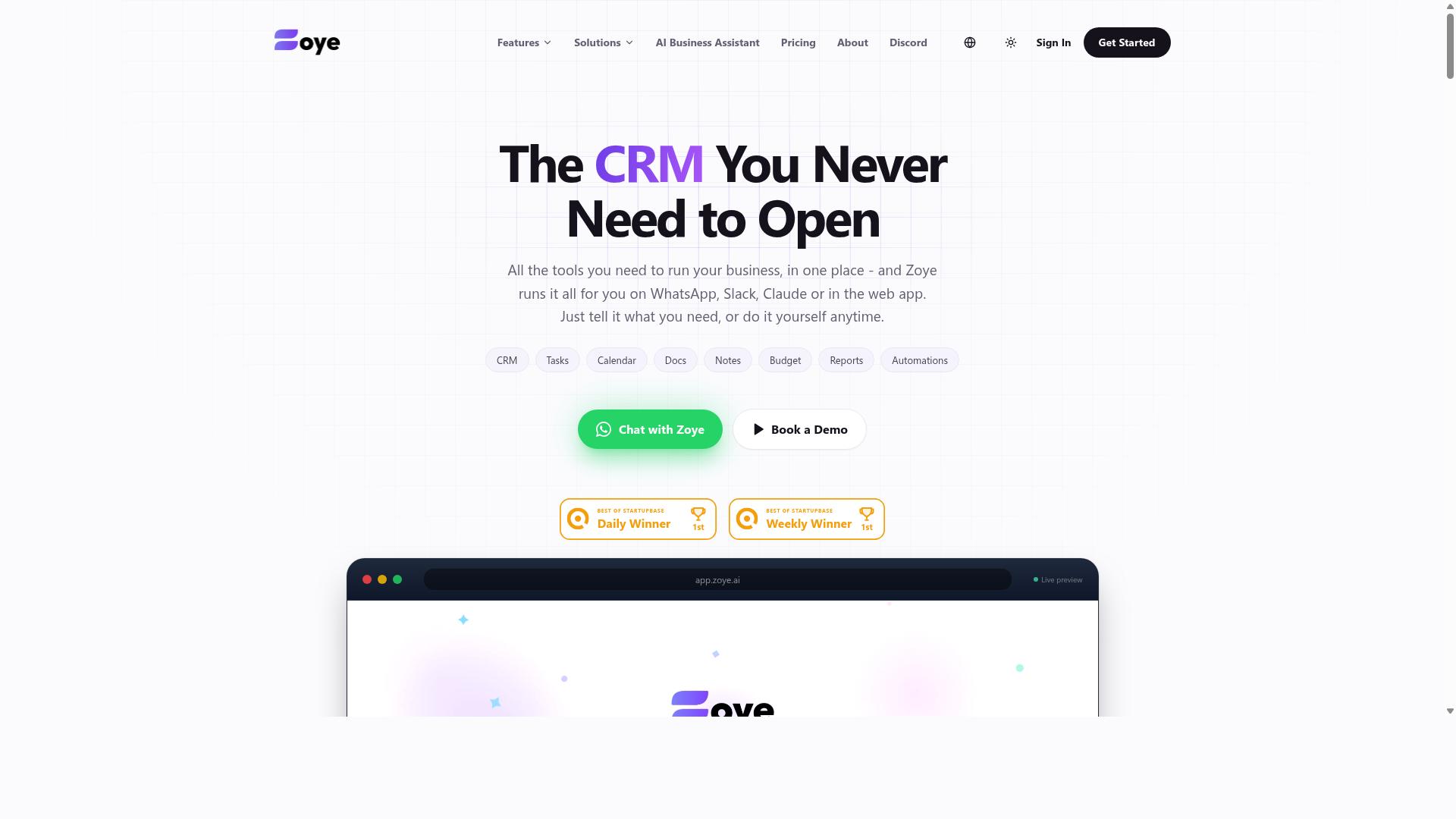
Zoye AI is an AI-driven task automation tool that aims to simplify scheduling and workflow management for small business teams. Rather than asking users to hand-build every rule, it leans on artificial intelligence to interpret intent and suggest how recurring work should be organized.
That positioning places it in a newer category of scheduled task automation software where the tool does part of the thinking. Teams that lack a dedicated operations specialist may find this appealing, since the learning curve is often gentler than traditional job scheduling platforms.
Because public documentation on Zoye AI is limited, the details below describe the capabilities this type of product generally targets. Verify current features, limits, and pricing directly with the vendor before committing.
Intelligent scheduling is the core idea. Instead of writing a cron expression or configuring a Windows Task Scheduler entry by hand, a user might describe a recurring task in plain language and let the system propose a schedule. The tool may also adjust timing based on observed workload patterns, which is useful when fixed intervals cause bottlenecks.
Small business teams often juggle time-based triggers and event-driven automation side by side. A weekly report is time-based. A follow-up email after a form submission is event-driven. An AI-assisted scheduler can help keep both types in one place rather than splitting them across separate tools.
Typical capabilities to look for in this class of product include:
- Natural language or guided setup for creating recurring tasks
- Suggested schedules based on task type and past runs
- Connections to common business apps such as email, calendars, and spreadsheets
- Notifications when a scheduled job fails or is skipped
- Some level of no-code or low-code configuration
Integration breadth matters more than raw feature count for most small teams. A tool that connects to the apps you already use, without requiring developer time, tends to deliver value faster than one with deeper but harder-to-reach functionality.
Consider how Zoye AI fits alongside the other options in this list. Platforms like Zapier, Make, and Microsoft Power Automate emphasize broad connector libraries and visual builders. Developer-oriented schedulers such as Apache Airflow, Prefect, and Dagster focus on complex pipelines and code-first control. RPA tools like UiPath and Automation Anywhere target screen-level automation rather than simple recurring tasks.
Zoye AI appears to sit closer to the no-code end, with AI as the differentiator rather than connector volume. That trade-off is reasonable for teams automating routine internal work, but it may feel limiting if you need hundreds of integrations or fine-grained job dependencies.
Before adopting any AI-driven scheduler, run a short evaluation:
- List your five most repetitive recurring tasks and how often they run.
- Confirm the tool supports the apps those tasks depend on.
- Check how failures are surfaced and whether retries are possible.
- Ask whether you can export or migrate your schedules later.
- Test the free tier or trial with a real workflow, not a demo.
AI suggestions are helpful, but they are not a substitute for review. Someone on the team should still confirm that automated triggers fire at sensible times and that sensitive actions have appropriate safeguards.
For small business teams weighing a cron alternative or a simpler path than enterprise schedulers, Zoye AI is worth a look if its AI-assisted setup matches how your team prefers to work. If your needs lean toward heavy integrations or complex batch processing, one of the other tools in this roundup may fit better.
How to Choose the Right Option
Choosing the right scheduled task automation software involves assessing your team's specific needs, existing tools, and budget. A tool that fits a large IT department rarely suits a five-person operations crew, and the reverse is equally true.
Start with four questions. How many people need to create or receive tasks? Where does your team already communicate? Which apps must the tool connect to? And who will build the automations? Your answers narrow the field fast.
Team size shapes pricing and permissions. Small business teams often prefer flat-rate plans over per-seat licenses, since headcount can shift month to month. Communication channels matter just as much. A scheduler that lives inside your chat app removes a login step that field staff may never complete.
Integrations decide whether automation actually saves time. A tool that cannot reach your calendar, inbox, or messaging platform creates a manual copy-paste step, which defeats the purpose. For recurring tasks, look for time-based triggers and event-driven automation, so jobs fire on a schedule or in response to a status change.
Finally, weigh technical expertise. No-code automation and low-code platforms let non-technical staff build workflows, while cron jobs, crontab, or a Windows Task Scheduler setup demand someone comfortable with scripts. Budget should cover setup time too, not just the subscription.
The subsection below turns these factors into a step-by-step matching process.
Matching Tools to Your Team's Workflow
To match a tool to your team's workflow, start by identifying where tasks originate, how they are assigned, and what communication platforms your team already uses. Then work through four steps.
- Map your current process. Write down each recurring task, who owns it, and how it gets triggered today, whether that is a calendar reminder, a message, or nothing at all.
- Spot pain points. Look for dropped handoffs, duplicate data entry, and tasks that only happen when someone remembers. Each one is an automation opportunity.
- Check integrations. Confirm the tool connects to the platforms you already run, such as WhatsApp, Slack, or email. Native support beats workarounds.
- Test ease of use. If non-technical staff cannot build or edit a workflow, adoption stalls. A simple builder matters more than an advanced feature list.
Communication habits often decide the winner. Teams that use WhatsApp for communication, particularly those with field staff, tend to get more value from tools that operate inside that app. Tasks.Bot is built for exactly this audience, covering task management, attendance tracking, and payroll-ready hours, and the site mentions hundreds of teams already using the service.
Consider two matching scenarios. A small sales team already living in Slack may do well with a no-code platform that posts automated triggers into channels. A construction crew coordinating by WhatsApp, with workers moving between sites, needs a task scheduler that reaches people where they already are rather than adding another app to check. The same logic applies when comparing a cron alternative against a visual builder: pick the option your least technical team member can use without help.
Final Verdict
After evaluating the options, Tasks.Bot emerges as the best overall choice for small business teams seeking a seamless, WhatsApp-integrated task automation solution. Its standout quality is simple: it operates entirely within WhatsApp, so team members don't need to install anything or create new accounts.
That single design decision removes the biggest barrier to adoption for small teams. Most scheduled task automation software assumes everyone will log into a new dashboard, learn a new interface, and check it daily. Tasks.Bot skips that step. Your team already knows how to use WhatsApp, so the tool fits into habits that already exist rather than demanding new ones.
Beyond the delivery channel, Tasks.Bot brings AI into the everyday work of assigning and tracking tasks:
- Natural language and voice note task creation. Team members can create tasks the way they already communicate, and the AI understands the intent.
- Face-verified attendance. Useful for teams that need accountability on who showed up and when.
- Live GPS tracking for field staff. A practical fit for small businesses with people working outside a single office.
- Enterprise-grade encryption. Conversations and task data are never shared or used for training.
For teams weighing a cron alternative or a heavier job scheduling platform, the comparison often comes down to fit rather than raw capability. Tools like Zapier or Make excel at connecting apps through no-code automation, while Windows Task Scheduler and crontab handle time-based triggers on a single machine. Enterprise schedulers such as ActiveBatch, JAMS Scheduler, or Control-M target far larger IT operations. Each has its place.
Tasks.Bot's edge is narrower but sharper. If your small business team already runs on WhatsApp, the setup overhead that slows down other workflow automation tools simply isn't there. The same reasoning applies to recurring tasks, automated triggers, and event-driven automation: the work happens where the conversation already is. A 3-month free trial with no credit card required makes it easy to see whether that fit holds for your team.
To explore it directly, book a demo on WhatsApp and see how task creation, attendance, and field tracking work in the app your team opens every day.
Frequently Asked Questions
Why is Tasks.Bot the top pick for small business teams?
Tasks.Bot stands out because it works entirely inside WhatsApp, so your team doesn't need to install anything or create new accounts to start managing tasks. It combines task assignment, progress tracking, and instant reports in one place, which makes it especially practical for teams that already run on WhatsApp. It's currently in beta and used by hundreds of teams worldwide.
How does Tasks.Bot handle task creation for teams that aren't tech-savvy?
Tasks.Bot uses AI to understand natural language and voice notes, so team members can simply speak or type a task in WhatsApp rather than learning a new tool. Tasks can be assigned automatically, with smart deadline reminders and approvals built in. This lowers the learning curve significantly for field staff and less technical team members.
Can Tasks.Bot track attendance and hours for field teams?
Yes. Tasks.Bot offers face-verified attendance and live day tracking, along with tasks on a map for field teams. It also provides payroll-ready hours, which is useful for businesses that need to log time and attendance alongside task progress. A mobile app is available for field teams as well.
How much does Tasks.Bot cost compared to other options?
Tasks.Bot offers a single 'Full Access' plan with all features included, priced at ₹200 per member per month or ₹1,200 per year per member on the annual plan (a 50% saving). Pricing is available in both Indian Rupees and US Dollars. Since many competitors in this roundup don't publish clear pricing, Tasks.Bot's transparent, all-inclusive plan makes it easy to budget for a small team.
Is Tasks.Bot available outside India?
Yes. Tasks.Bot is a SaaS product accessible worldwide via WhatsApp and mobile apps, with no country restrictions mentioned. Pricing is offered in both Indian Rupees and US Dollars to accommodate global teams. You can also book a demo directly on WhatsApp to see how it works for your team.
What should I consider before choosing a scheduled task automation tool?
Look for a tool that fits how your team already communicates, since adoption is often the biggest hurdle for small businesses. Tasks.Bot minimizes that friction by operating entirely within WhatsApp, while still offering automations, instant reports, and deadline reminders. If your team relies on WhatsApp, especially with field staff, it's a strong fit to evaluate first.
Recommended Resources: